
Digital Product Passport • Real-world example • Starter plan
Digital Product Passport example: Leather belt maker (Germany)
This showcase demonstrates how a small product owner can publish a professional Digital Product Passport (DPP) with xProduct. Martin runs a leather workshop with around 10 belt SKUs. Using the Starter plan, he creates a public DPP page for each product and links it with a scannable QR code — helping customers, retailers and compliance teams access key product information quickly.
The passport content is built from templates (up to 6 templates per product on Starter), covering topics such as materials, manufacturing, certifications, carbon footprint and care instructions.
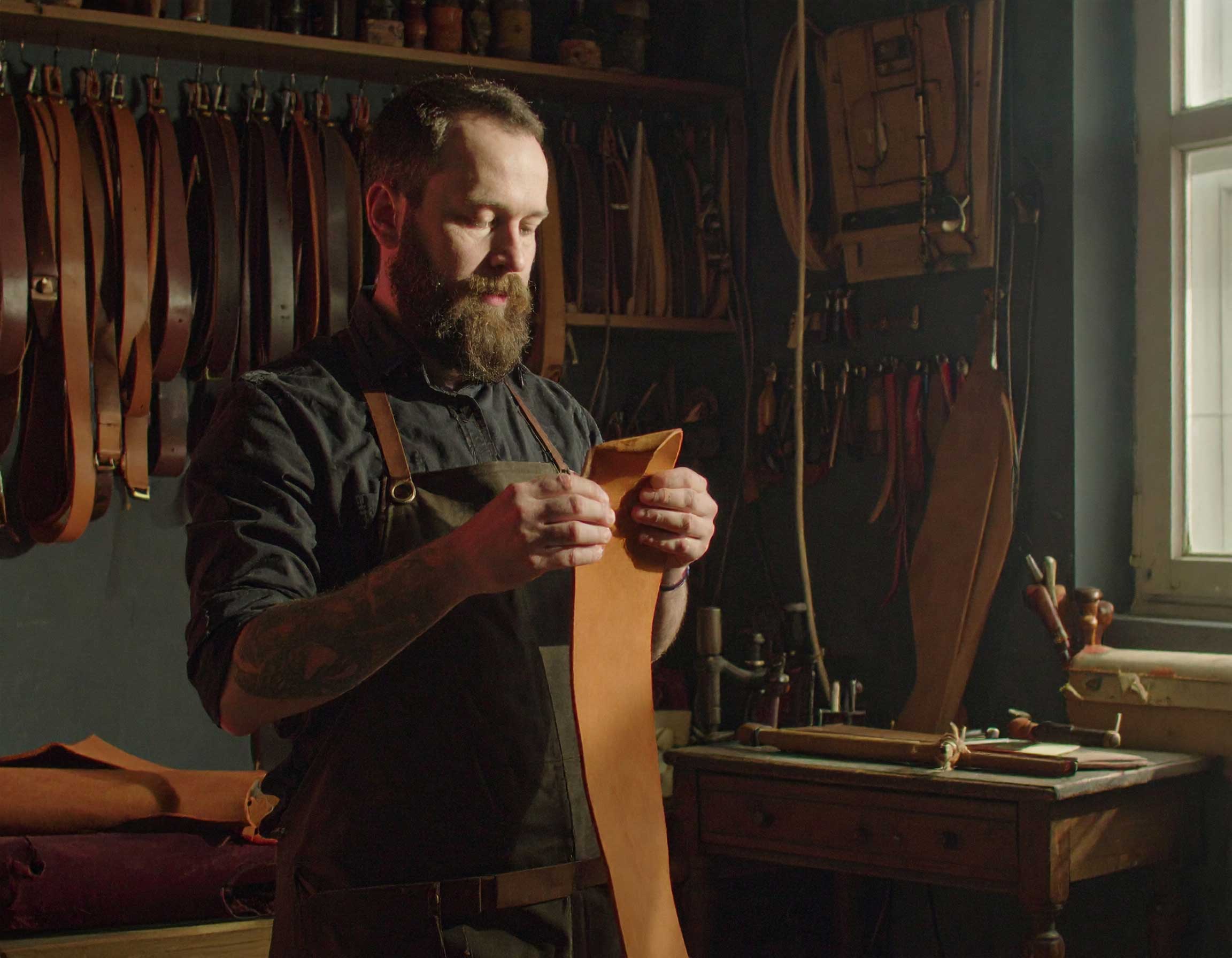
What a Digital Product Passport can include
A Digital Product Passport is a structured product page that makes key information easy to access by scan. Below is a simple workflow showing how a small brand can build and publish a DPP using xProduct.
Step 1
Create account
Choose a plan that fits your product range.
Step 2
Add SKUs
Enter product names, categories and essential details.
Step 3
Generate QR codes
A unique public QR code per product.
Step 4
Select templates
Build the passport with predefined templates.
Step 5
Publish & share
Scan the QR to view the DPP online.
Template 1
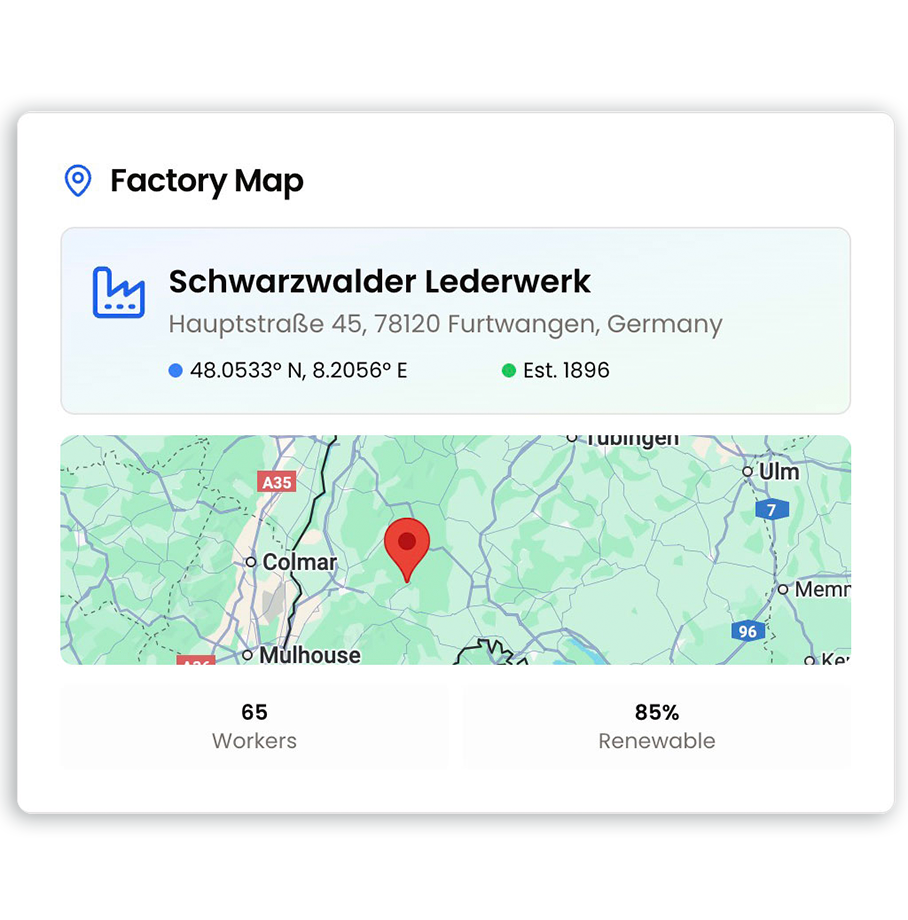
Factory Map template
Show where a product is made using a simple factory map. Useful for transparency, sourcing communication, and sharing production context with retailers and end customers.
Template 2
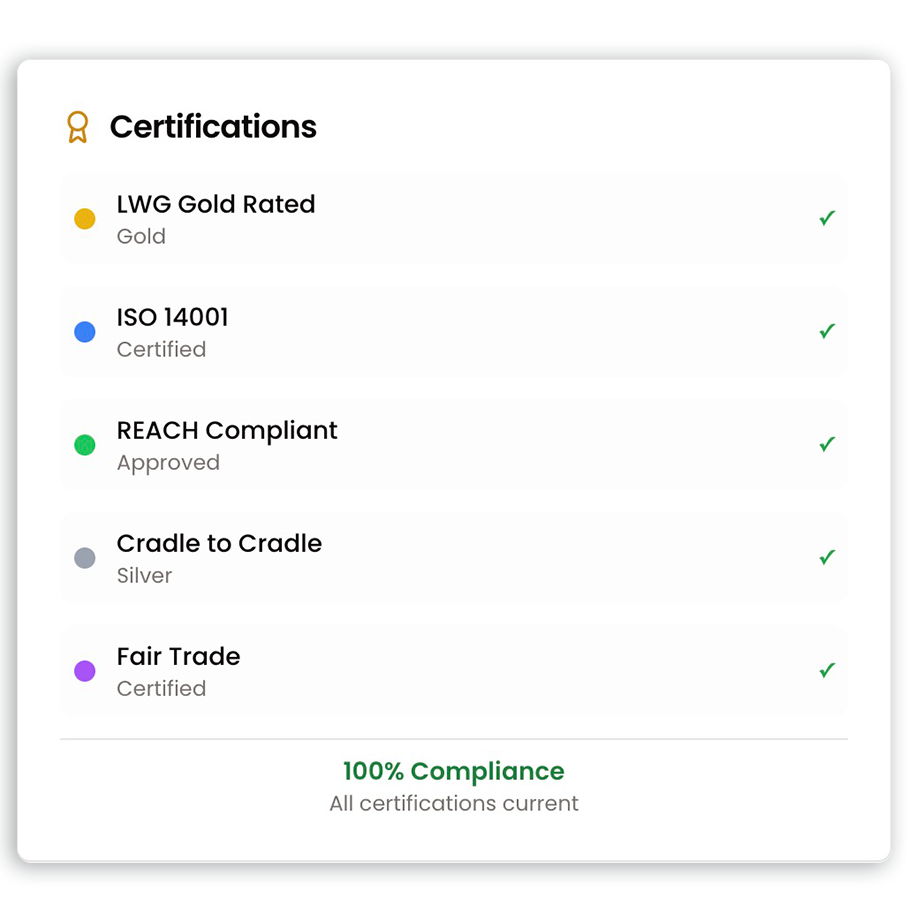
Certifications template
Publish certificates, standards and proof of compliance in one place. This helps customers validate claims and allows partners to quickly review documentation.
Template 3
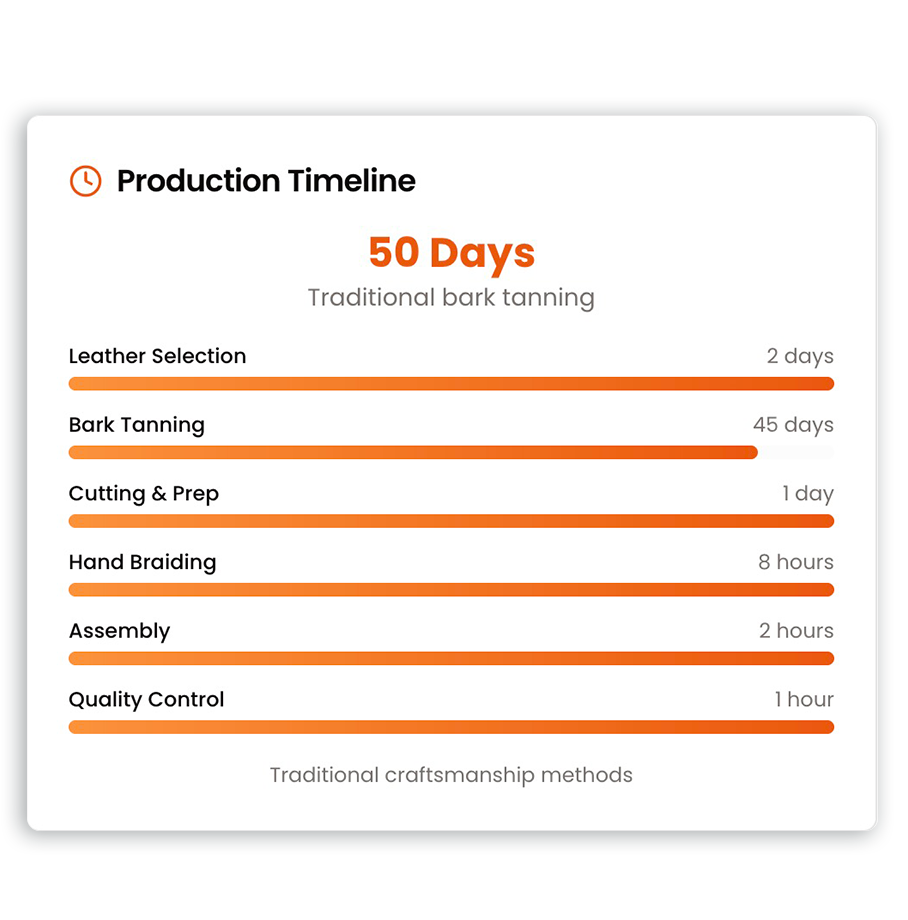
Production timeline template
Display key production steps and dates in a clean timeline. Great for demonstrating craftsmanship, traceability and manufacturing process clarity.
Template 4
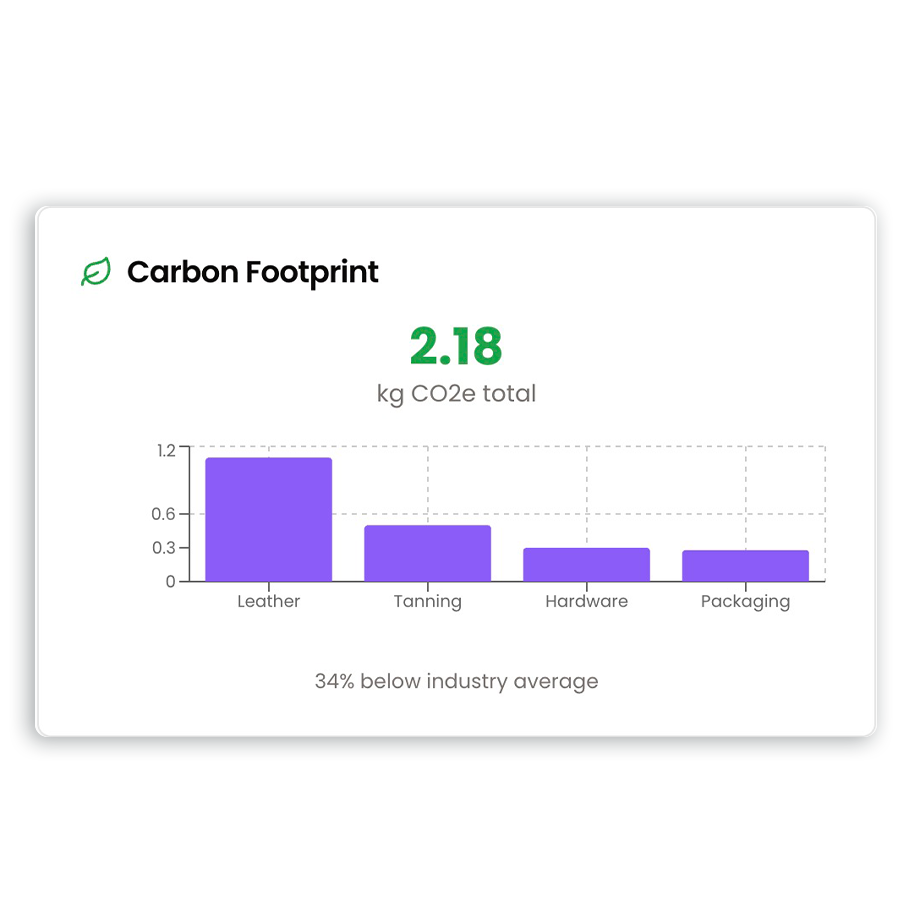
Carbon footprint template
Share an example product carbon footprint with stage breakdowns (e.g., leather, tanning, hardware, packaging). Ideal for sustainability-minded customers and procurement teams.
Template 5
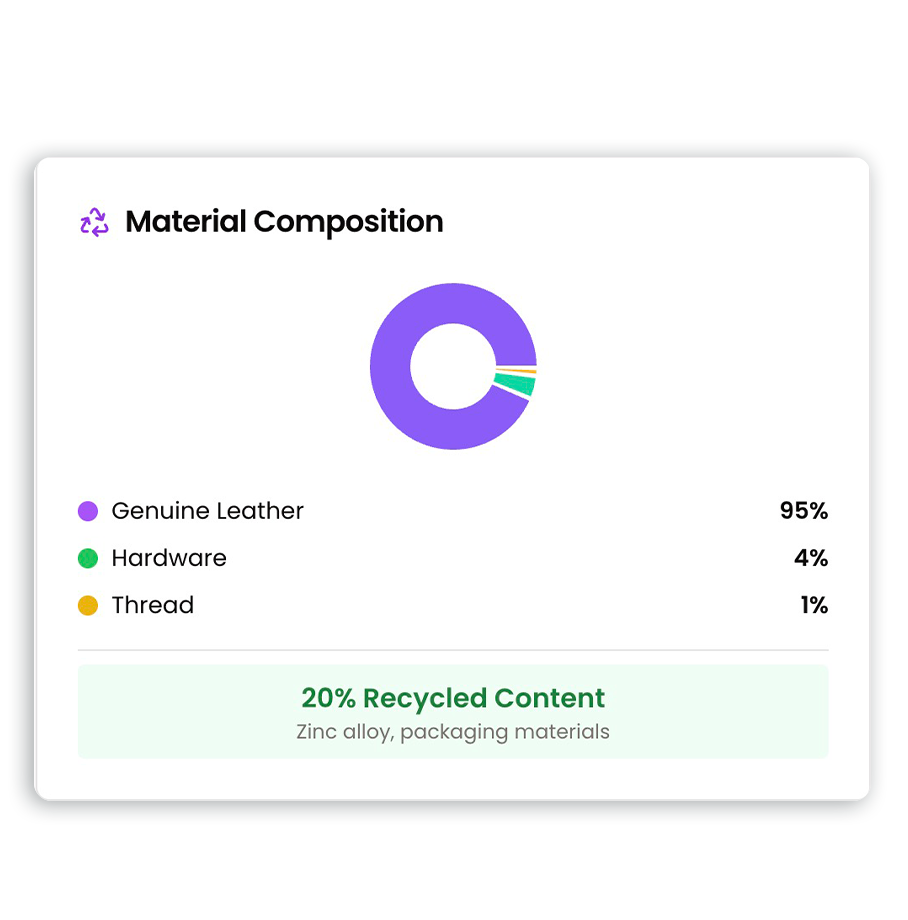
Material composition template
A clear breakdown of materials (leather, hardware, thread) and optionally recycled content. Useful for transparency, repair and end-of-life guidance.
Template 6
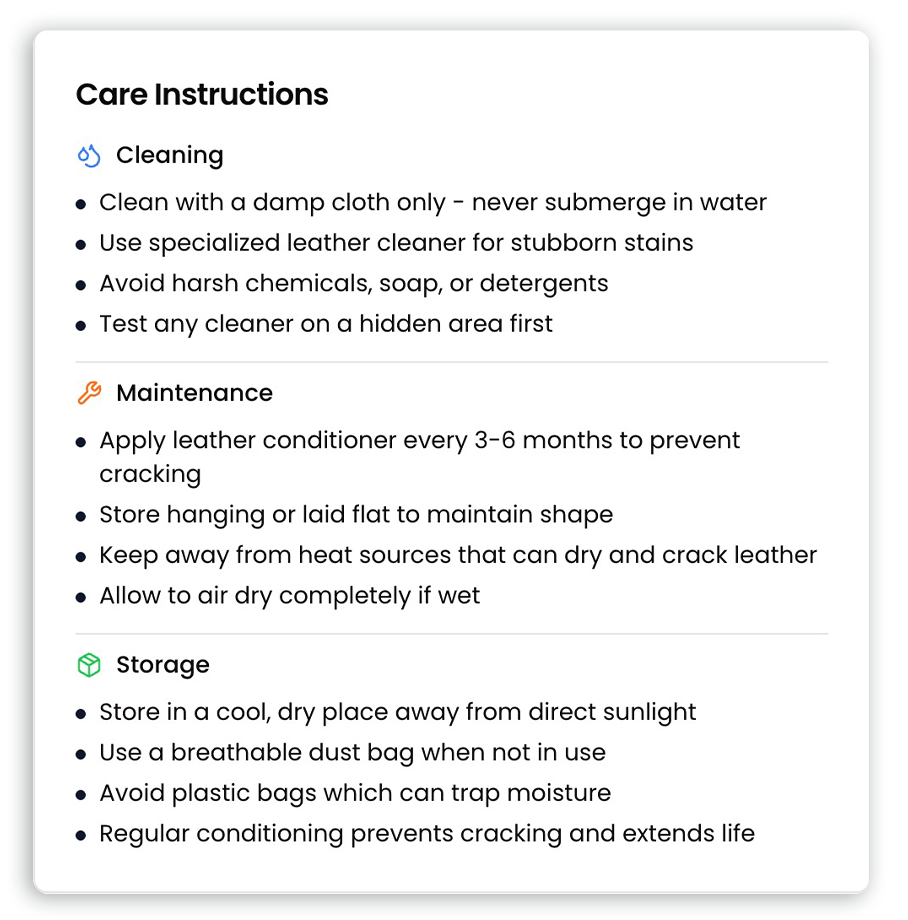
Care instructions template
Provide cleaning, maintenance and storage instructions that customers can access anytime by scanning the QR code. Helps reduce returns and improve customer experience.
Try xProduct for your own Digital Product Passports
Start with Starter to publish QR-linked DPP pages for your products, then upgrade as you scale.
Want physical QR labels? Paid subscribers get discounts on printed QR labels and clothing tags.
FAQ
What is a Digital Product Passport (DPP)?
A DPP is a digital record that provides structured product information across the product lifecycle. With xProduct, your DPP is presented as a public product page that can be accessed by QR code.
Do I need a QR code for a DPP?
QR codes make it simple to access the passport from packaging, labels or product tags. xProduct generates a QR code for each product automatically.
Can I start small and upgrade later?
Yes. Many brands start with Starter and upgrade when they reach product or template limits.
Can I use templates for different industries?
Yes. Templates can support a range of categories, from apparel and footwear to batteries and electronics.
From DPP to physical QR labels
Order textile QR care labels or QR stickers directly from your product dashboard. Paid subscribers get discounts.
Billing is handled with Stripe — upgrade, downgrade, or cancel anytime.